
Free dating app · 18+ in Canada
Have an opinion.Get noticed for it.
Every opinion is an ice-breaker. Public conversations are where real, verified people put themselves out there. Be discoverable, and discover someone great.
Coming soon to iPhone and Android
Why Partial
Meet peoplethe way it happens in real life.
Start a conversation or join one. Let someone enjoy speaking with you. You might be one introduction away from something great.
Join the discussion
Every opinion is a space for public conversations, open for anyone to read. Start your own, or ask to join one already going. Be yourself. You never know who you’ll impress.
Your profile grows on its own
Interact with the app naturally and your profile grows deeper on its own. People get a better sense of who you are, which leads to meaningful matches instead of false signals. Remove any opinion vote or public conversation from your profile whenever you wish.
Bring your friends
Bring your group chat inside the app by adding friends, and share profiles with them directly. If you want a friend to help you swipe, make them your wingman.
Only you can send and accept match requests.
Inside the app
Be discoverable.
Great conversationsstart with an opinion.
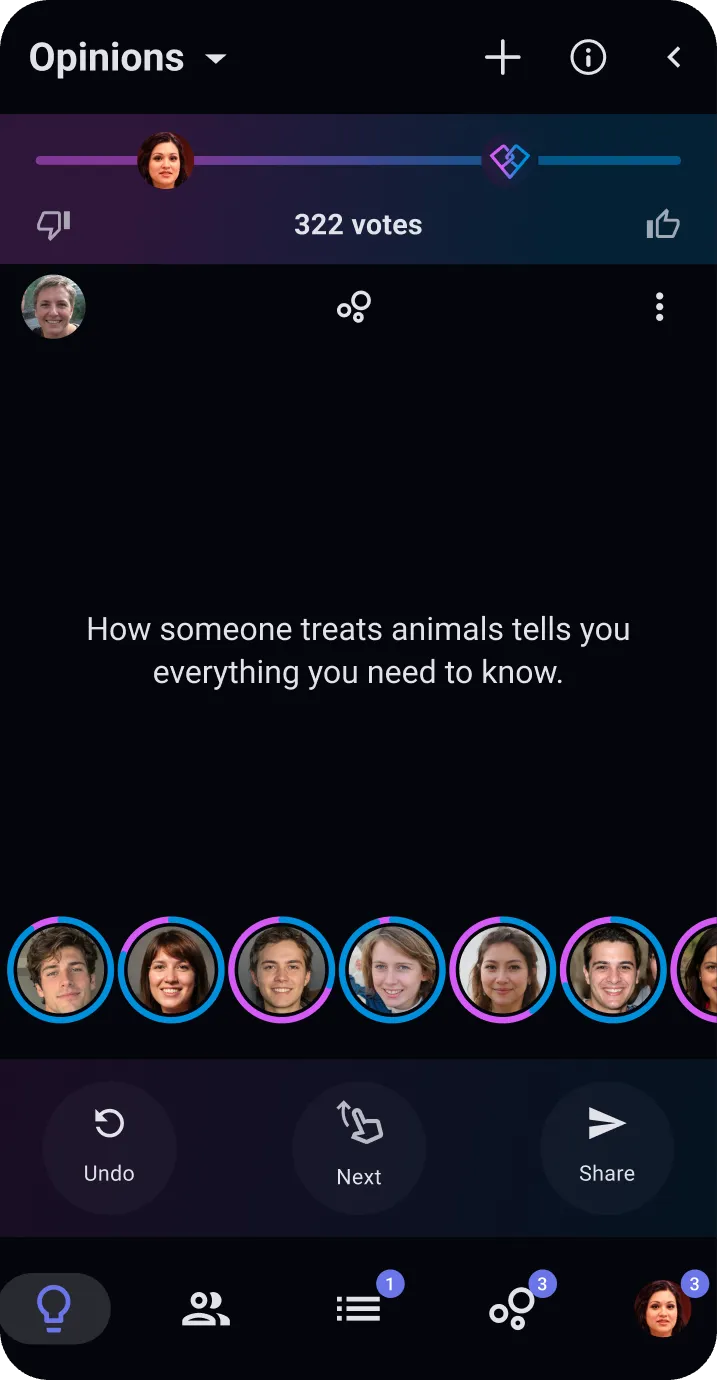
Browse opinions posted by others, or create your own.
Any opinion you see can be added to your profile, to show what you care about and what you’d be interested in discussing.
See whereeveryone stands.
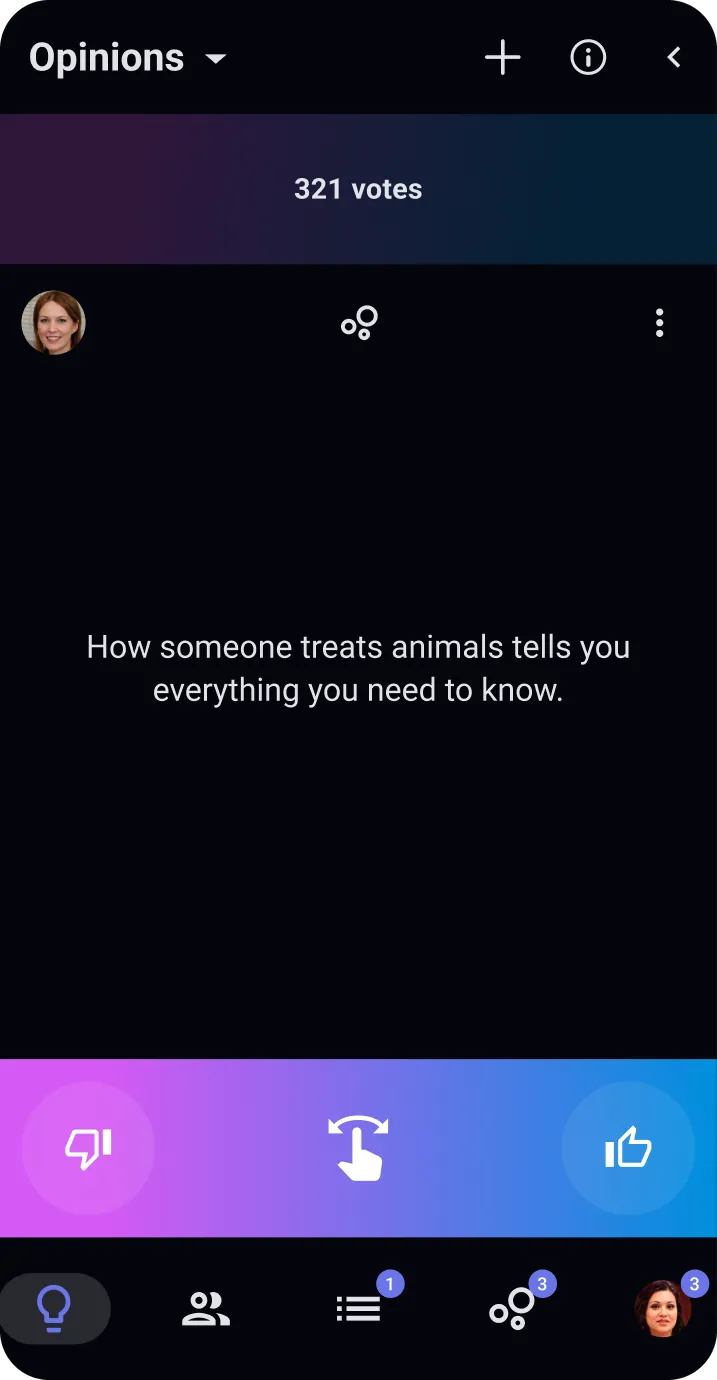
Swipe right if you agree with the opinion, swipe left if you don’t. Vote, then compare with your friends and matches.
Results also show the average vote of everyone on the app who answered.
Read the room,then join the discussion.
Or start your own.
Every opinion can have public conversations, open for anyone to read. Find the comedian, the scholar, the deep thinker you’ve been looking for.
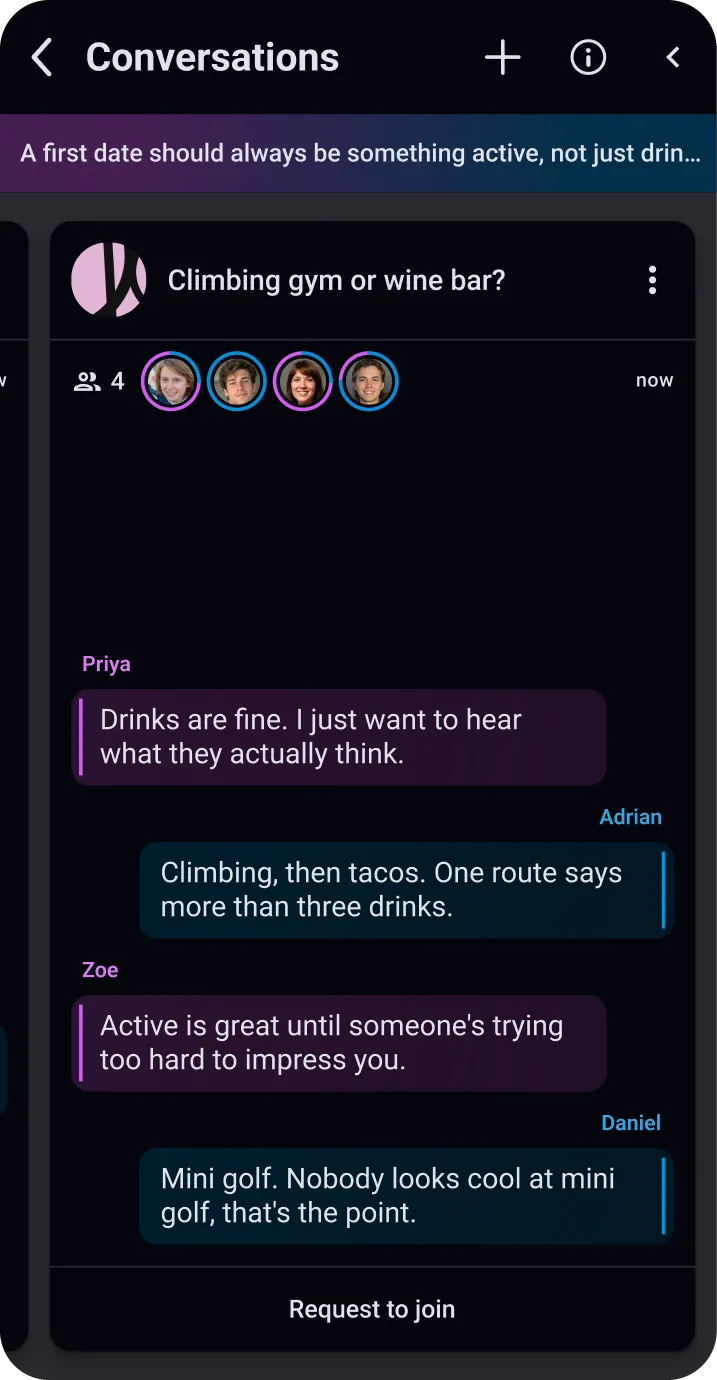
Opinion votesand discussionsare linked to your profile.
So people get a feel for you before they say hello.
Your profile grows deeper as you use the app. You can remove any opinion vote or public conversation from it whenever you like.
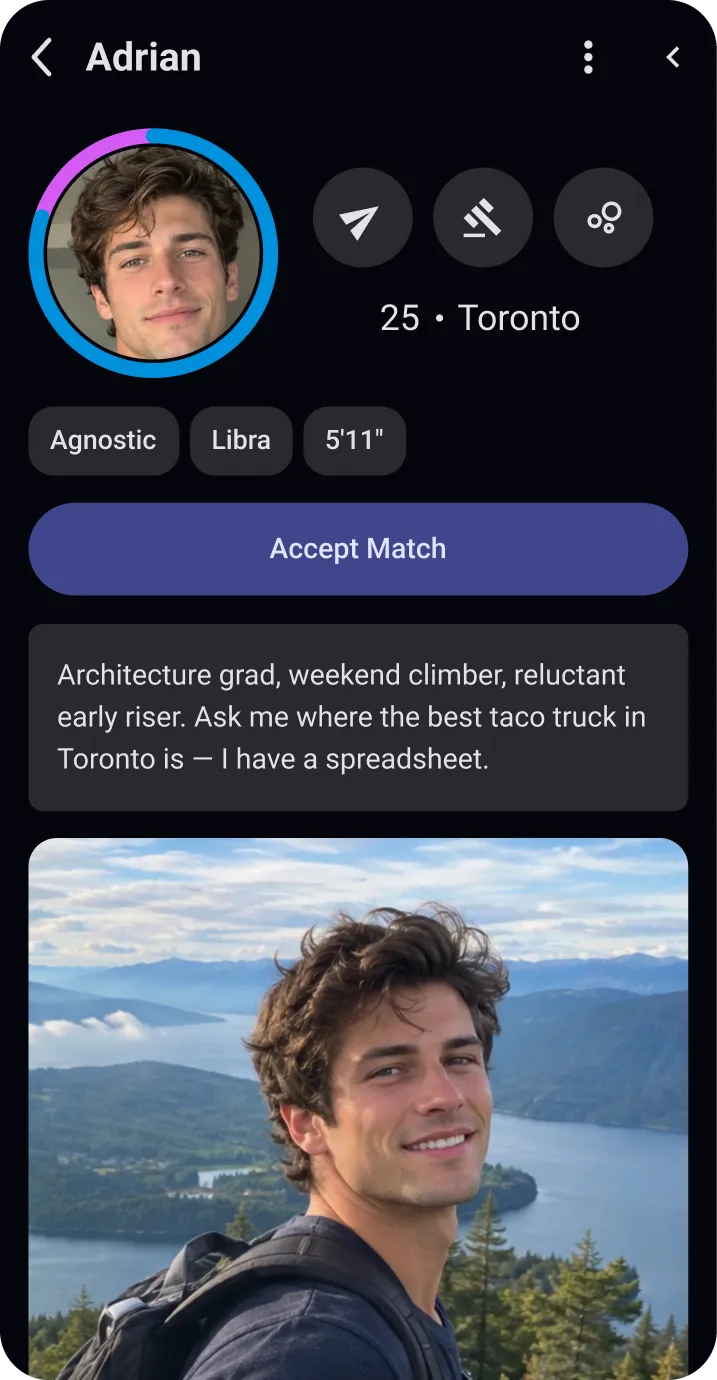
Swipe, decide, match, converse.
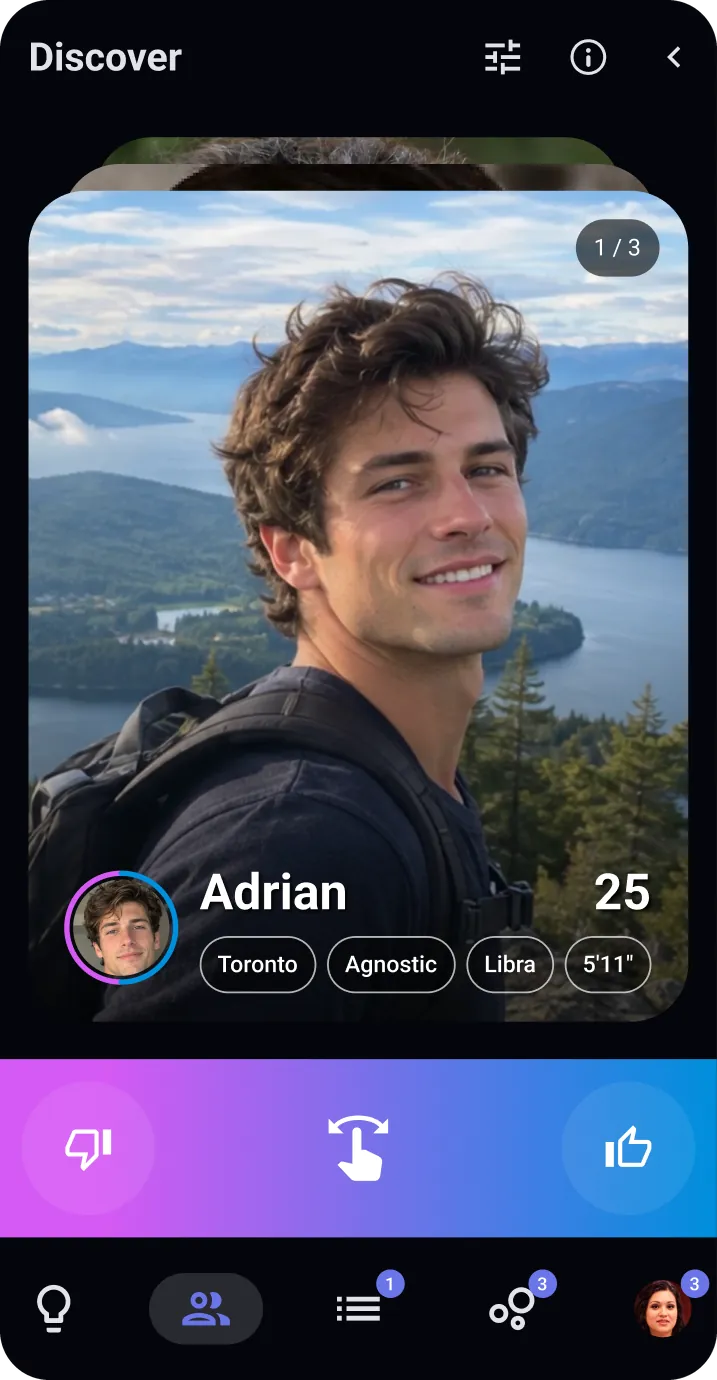
A swipe represents how much you like them,and only you can see it.
Swipe as fast as you like.
Swipe right or left, as far as you mean it. The person is never told, nothing matches on its own, and you decide later if you want to match.
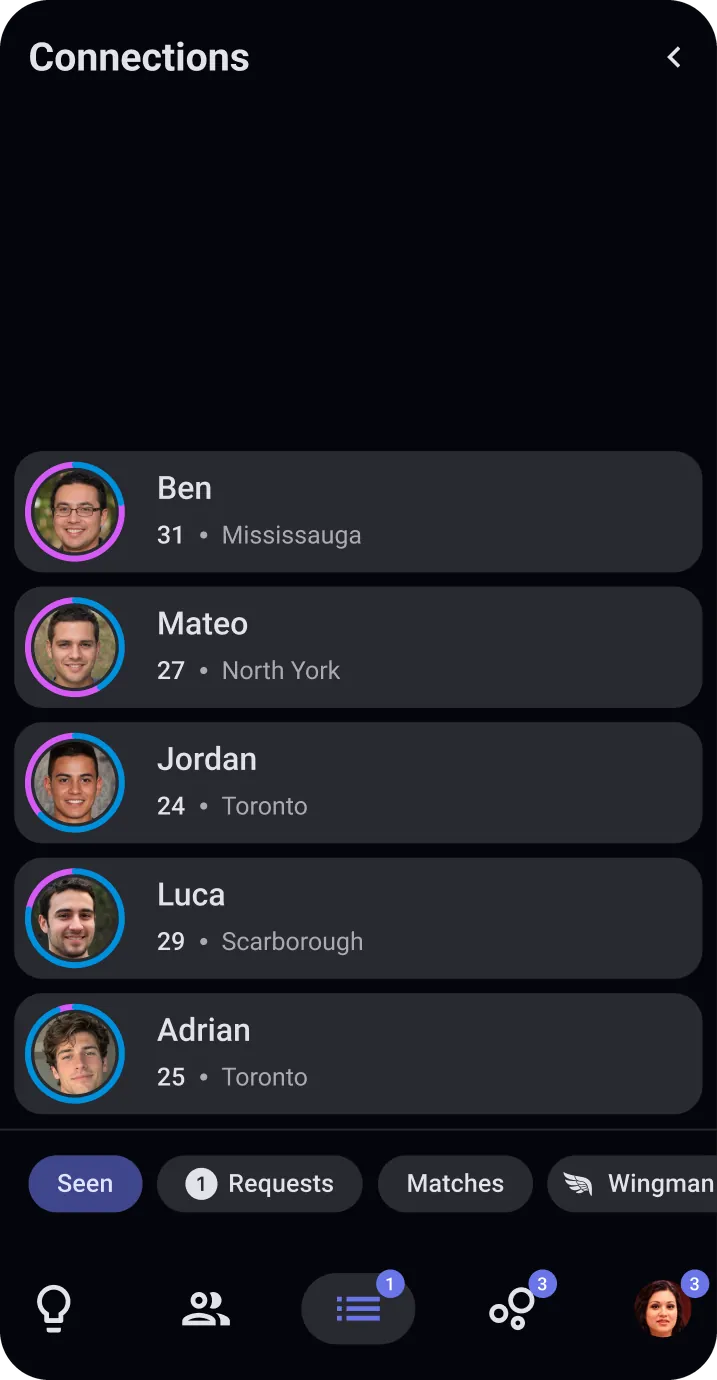
Everyone you’ve swiped,sorted in order.
Matching isn’t a now-or-never decision.
The ring around each face shows how much you liked them. Open a profile whenever you like, and send a match request when you mean it. If they accept, the conversation opens.
Better with friends.
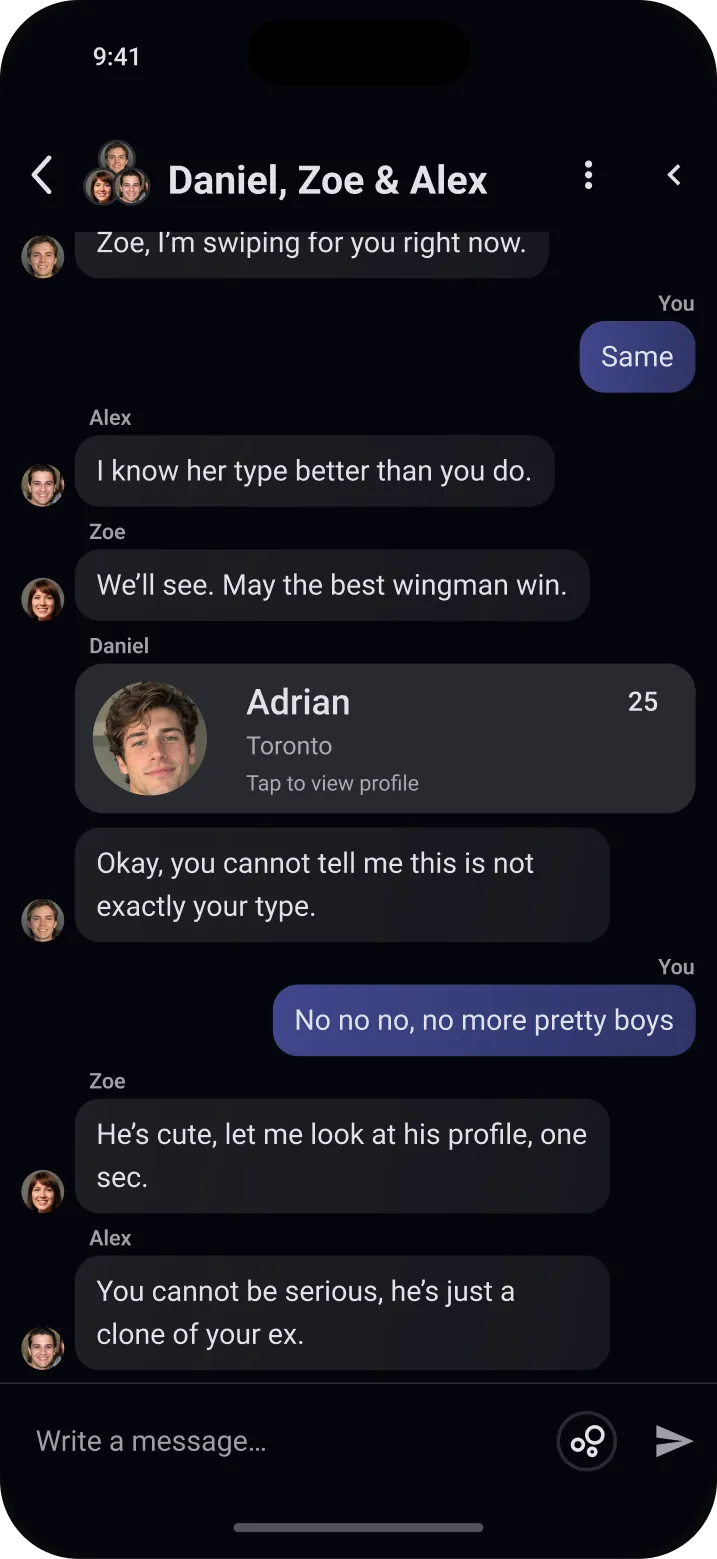
Bring your group chatinto Partial.
Stop sharing screenshots in other apps, and start sharing entire profiles right here in Partial.
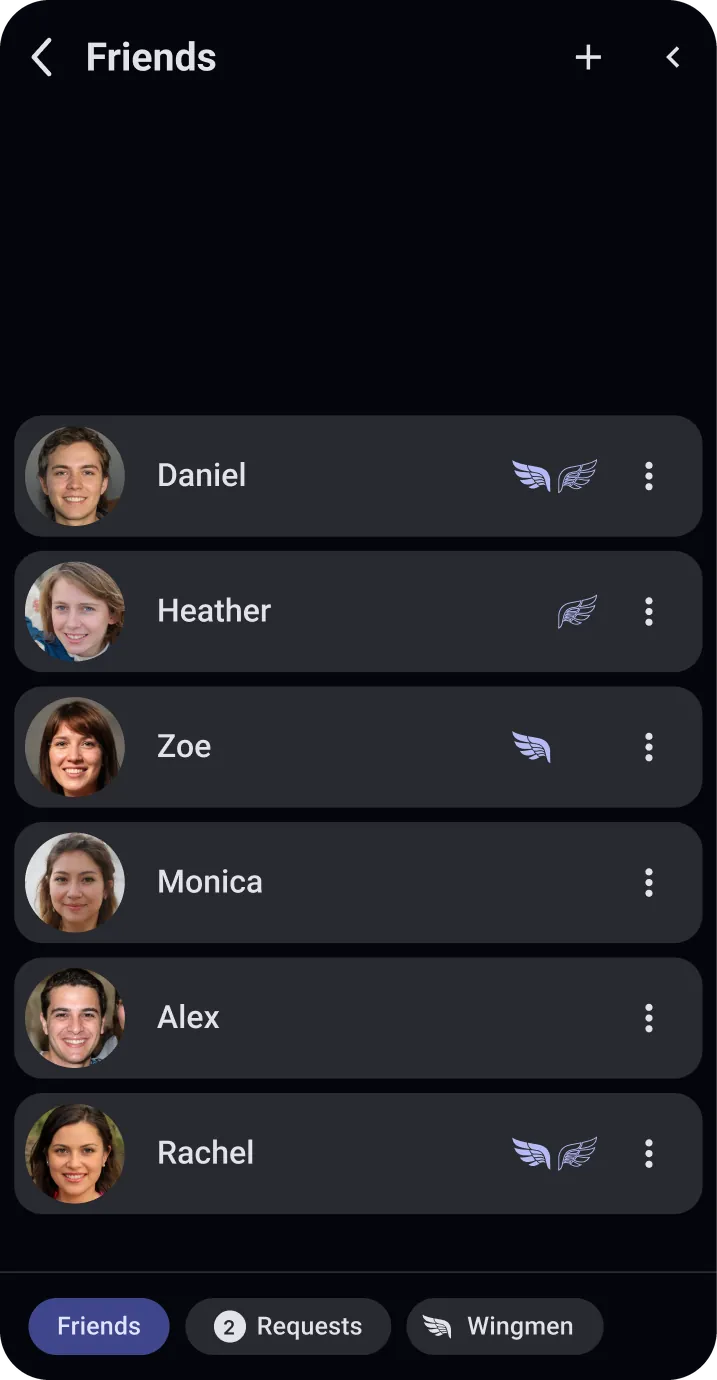
There’s no member search, so nobody can look you up. Instead, make a friend code and send it to a friend: entering it sends you a friend request. You can add as many friends as you’d like.
Invite your friendsto be your wingmen.
They swipe through your feed and recommend people. Only you can send and accept match requests.
You decide whether they can see how you swiped, and either of you can end it at any time.
In a relationship?Be their wingman.
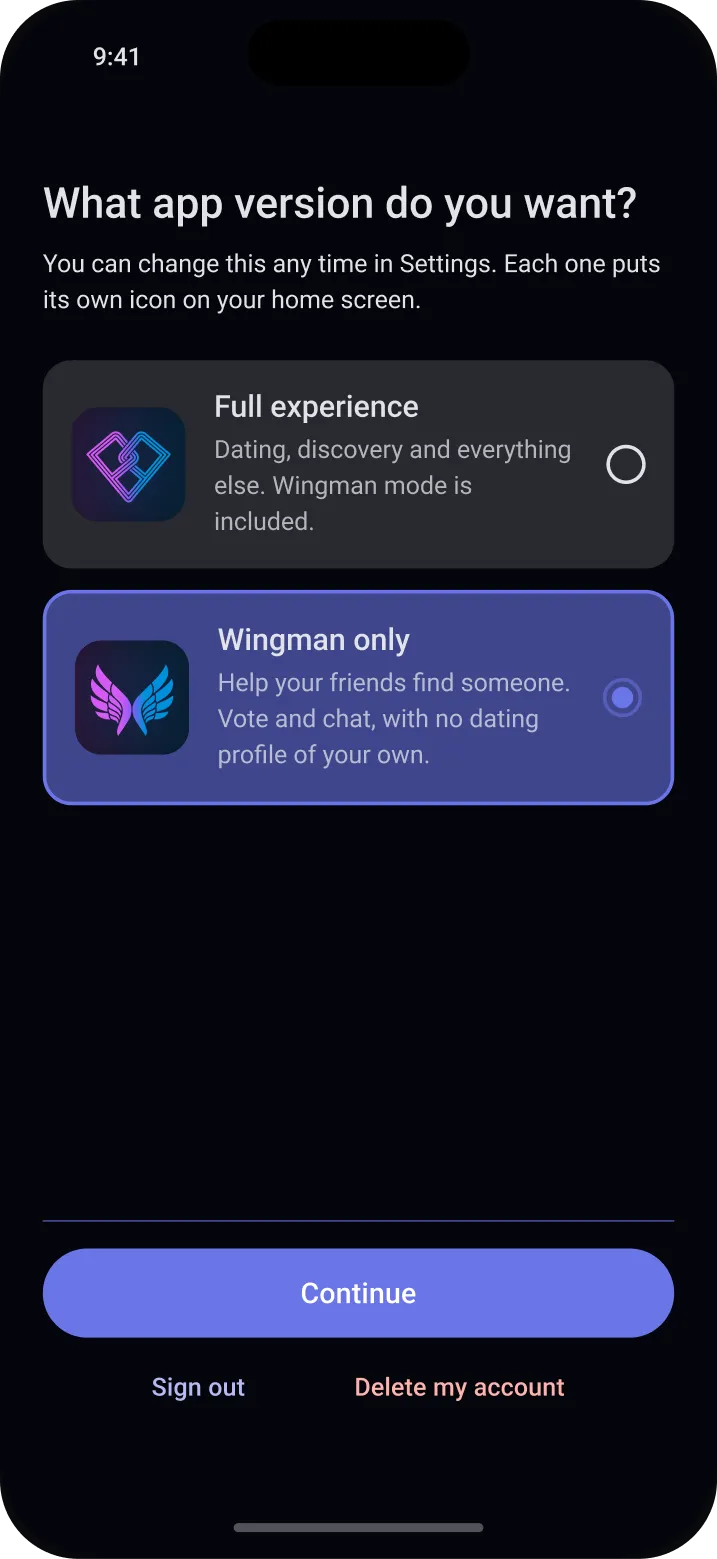
Wingman only is Partial with no dating profile. Help your friends find someone while you stay off the market.
Pick it when you sign up, or switch in Settings any time. Only your friends can find you, it gets its own icon on your phone, and your Partial timeline shows you’ve only ever been here as a wingman, in case anyone questions you having Partial on your phone.
Safety
Real people, by design.
Every member verifies their face at sign-up, and every photo with a person in it has to include you. That makes pretending to be someone you’re not a lot harder: a photo of somebody else, without you in it, doesn’t get through.
Face-verified
Every member verifies their face at sign-up. It confirms there’s a real person behind the account, and a face already verified on another account can’t open a second one.
You’re in the photos
Every photo with a person in it has to include you. A landscape or your dog is fine, and so is a group shot, as long as you’re in it. At least three photos on every profile are ones the check found you in.
Your city, not your address
Other members see your city, and your neighbourhood only if you choose to show it. Never your address, and never how far away you are.
Block and report
Block someone from their profile or a chat, and they aren’t told. We review every report and aim to act within 24 hours.
Adults only
Partial is for people 18 and over, in Canada.
Free
Paid for by ads. There are no purchases or subscriptions.
Questions
How do you know these profiles aren’t fake?
Every member verifies their face at sign-up, and that includes you. One face can only open one account, and every photo with a person in it has to include you, so a profile built from someone else’s photos doesn’t get through.
What if I don’t trust you with my face biometrics?
We never see the video. Your phone streams it straight to our verification provider, so it never reaches our servers and is not stored. One still image comes back, is turned into a face vector — a set of numbers describing your face — and is then discarded, so no picture of your face is kept anywhere. The vector sits in our private collection and is used for four things only: confirming a live person is present, checking the photos you add are of you, checking that face hasn’t already opened another account, and estimating your age for the purpose of keeping minors off Partial. Delete your account and the vector is deleted with it. And if you would rather not do it at all, we understand completely — but it is what stops profiles being built out of other people’s photos, so we can’t let you set up a profile without it. You can still sign in and delete your account whenever you want.
What shows on my profile?
Your photos, your details, the opinions you’ve added, how you voted on opinions, and the public conversations you’re in. You can remove any vote or conversation from your profile. Who you swiped on is never shown.
Can people see how I swiped on them?
No. The person you swipe on is never told. If you have a wingman, they see how you swiped only if you turn that on.
Can I search for users in the app?
No. There is no member search, so nobody can look you up either. You meet people through Discover, opinions and public conversations. Friends join with an invite code you send them.
How much of my location is visible?
Only your city or neighbourhood. Other members never see your address or how far away you are. Open your own profile to see exactly what other members see.
Can I block people?
Yes. Block someone from their profile or a conversation, and they aren’t told. Blocking works both ways, and you can report them from the same place.
What is a wingman?
A friend you invite to swipe through your Discover feed and recommend people. They can’t message anyone or send match requests for you, and either of you can end it at any time.
What if I’m in a relationship but want to be a friend’s wingman?
Use Wingman only, the version of Partial with no dating profile. Nobody but your friends can find you, and you can’t swipe or match for yourself: you vote on opinions, chat with your friends and swipe for the ones you wing for. To leave no room for doubt, the Partial timeline records when you started and every switch between Wingman only and the full app, with the date and time, so you can show anyone that you’ve only ever used Partial as a wingman. It’s on by default. Turning it off clears it, and if you turn it back on, its new start date shows.
How do I delete my account?
In the app, go to Settings → Delete my account. It takes effect immediately.
Be one of the first.
Show up, put yourself out there. Don’t be impartial.
Partial is coming soon to the App Store and Google Play, in English and French.
Questions? Write to us at admin@partial.chat